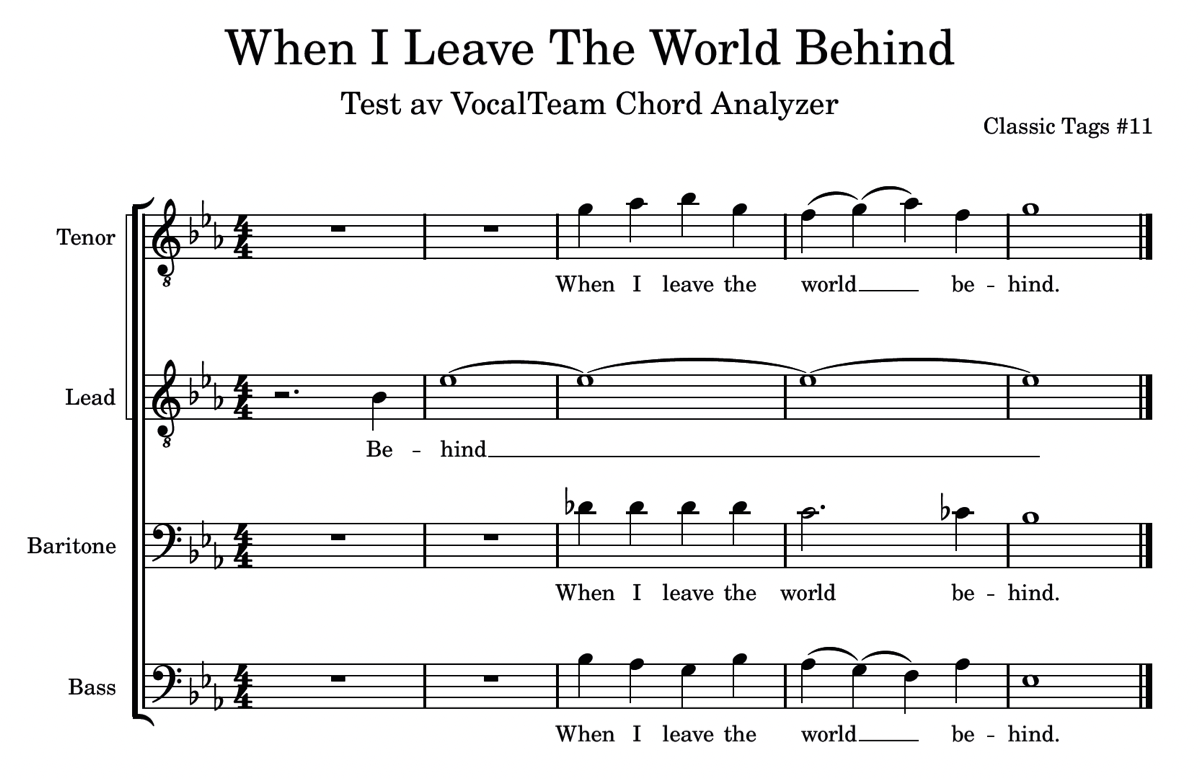
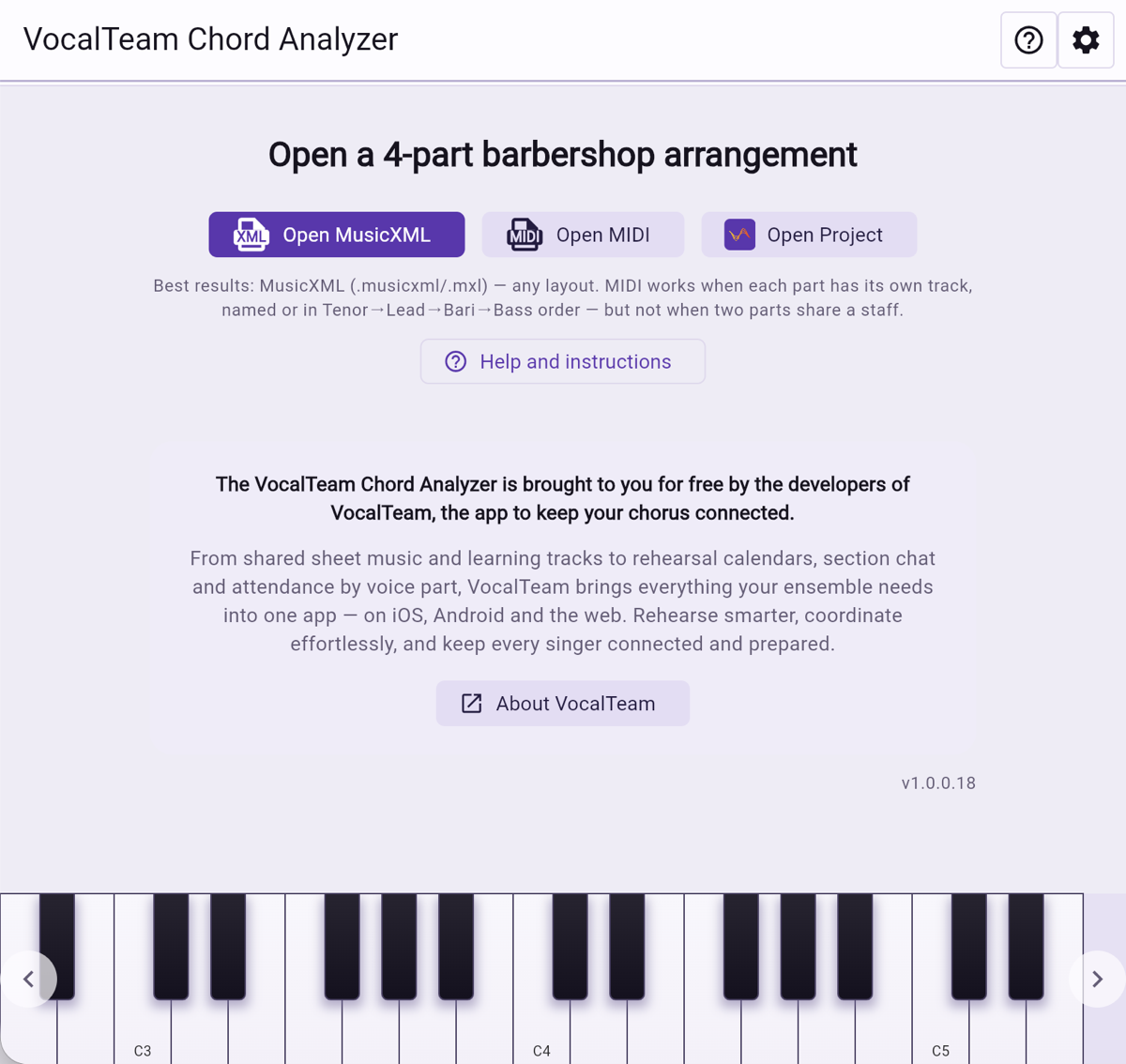
Open your arrangement
Open a MusicXML or MIDI file and you are working — nothing to install, nothing to sign up for. MusicXML from any notation program gives the best result, and MIDI works when each part has a track of its own.
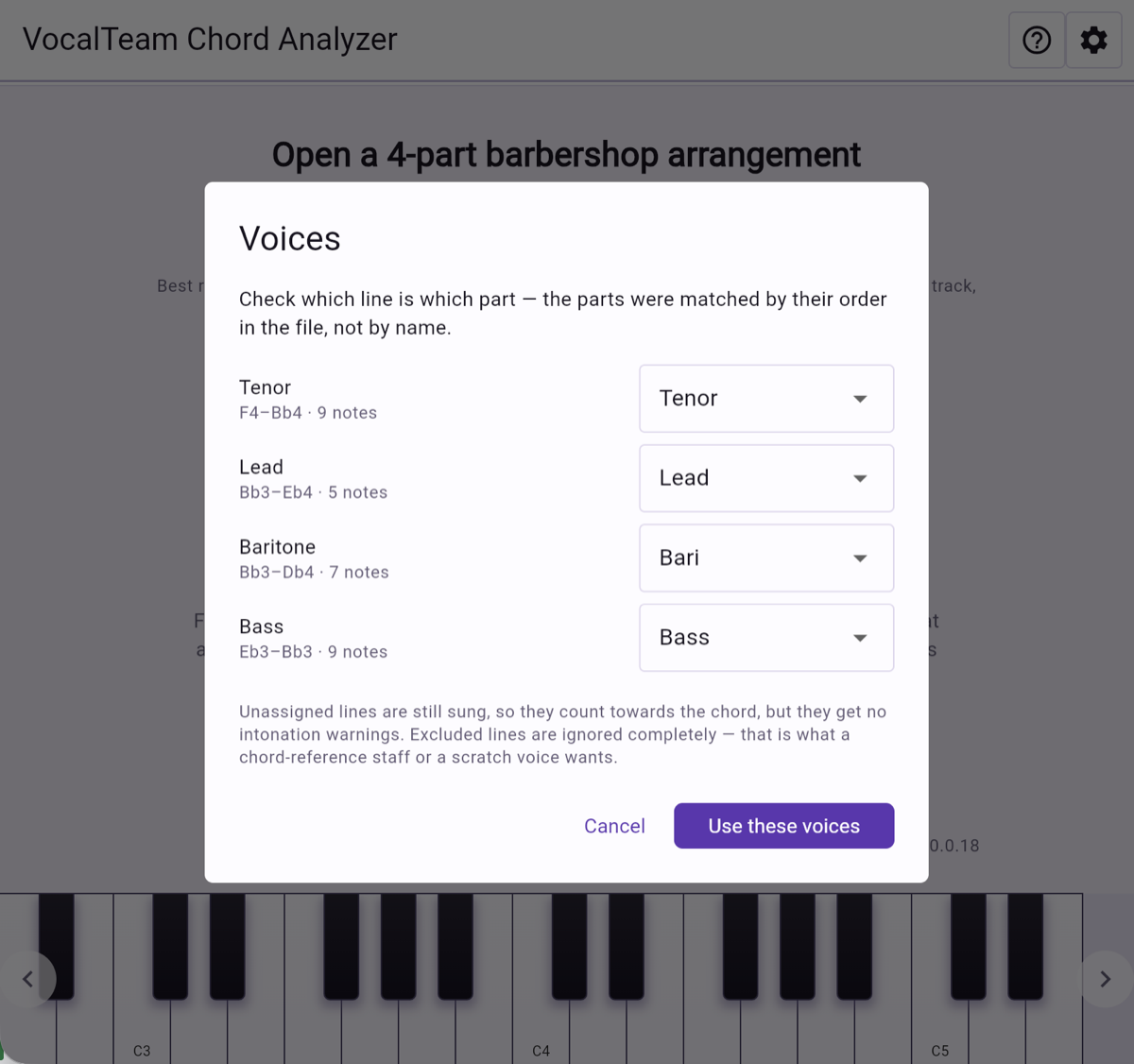
Confirm the four parts
The lines are matched to Tenor, Lead, Bari and Bass by their order in the file, and each one shows its range and note count so you can check it at a glance. A chord-reference staff or a scratch voice can be left out of the analysis entirely.
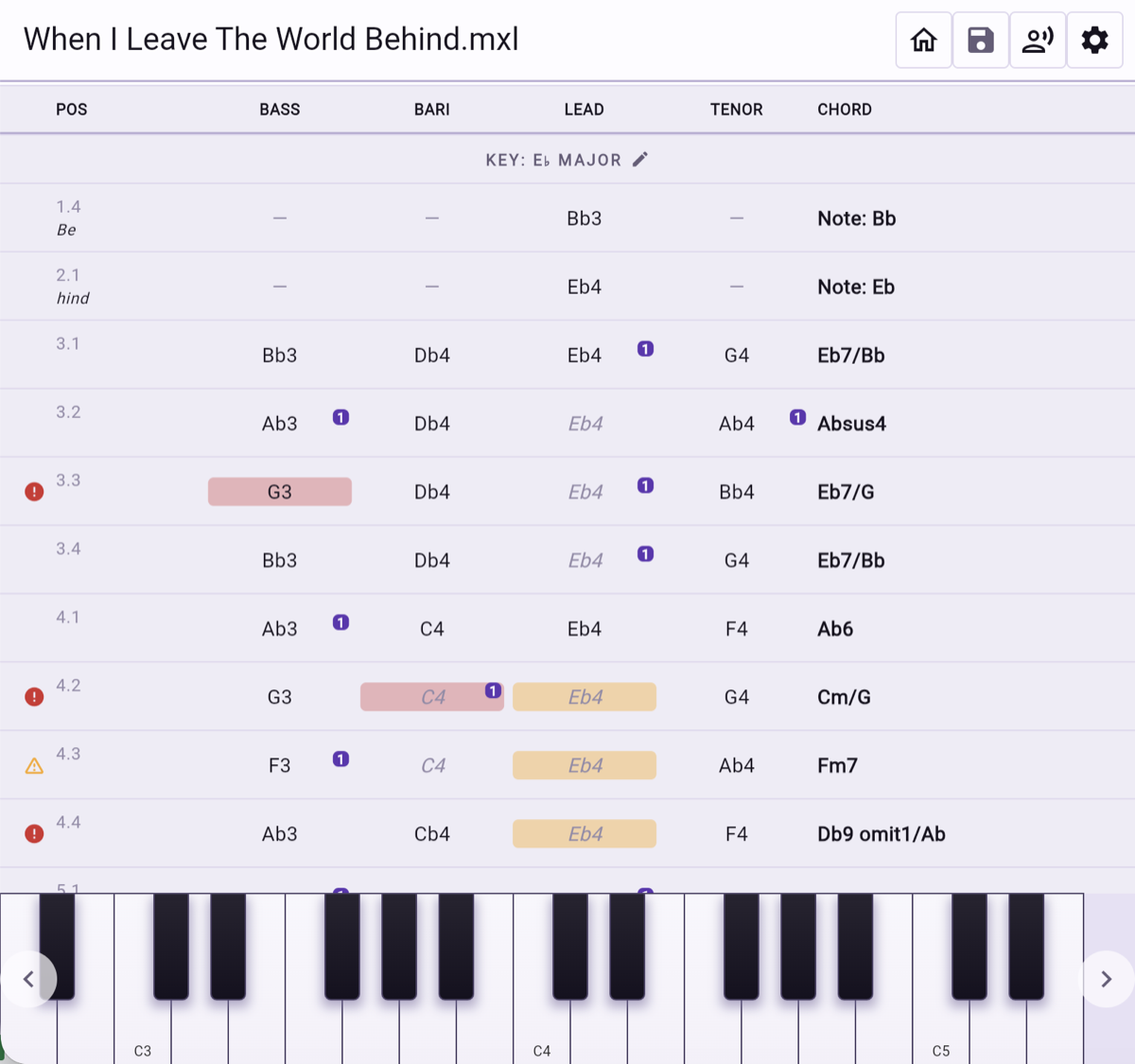
The whole song, chord by chord
Every chord change in one list: the four notes, the chord name and the key. Red and amber markers pick out the bars that will give you trouble, so you know where the rehearsal time needs to go before anyone steps onto the risers.
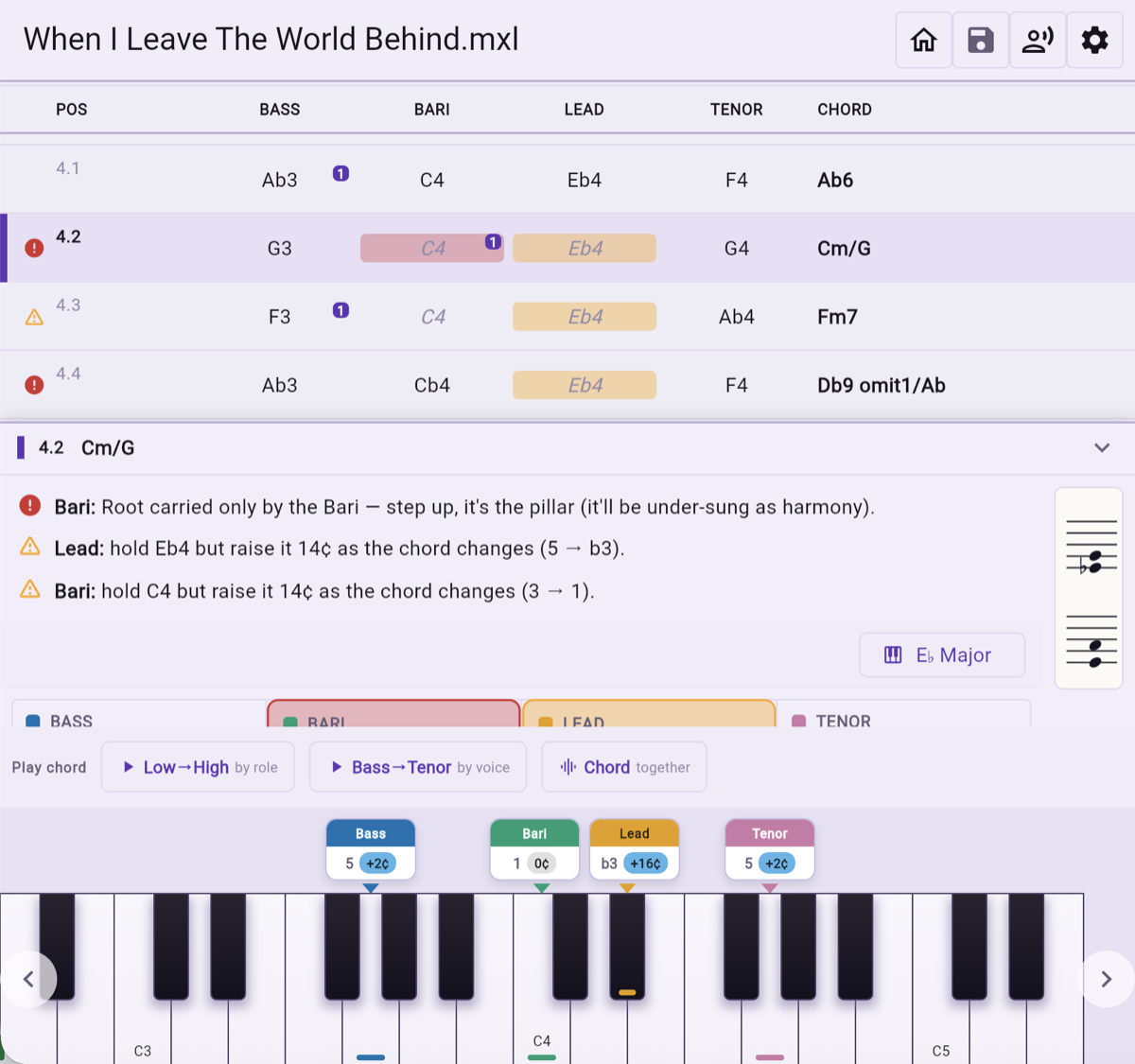
What to tell the chorus
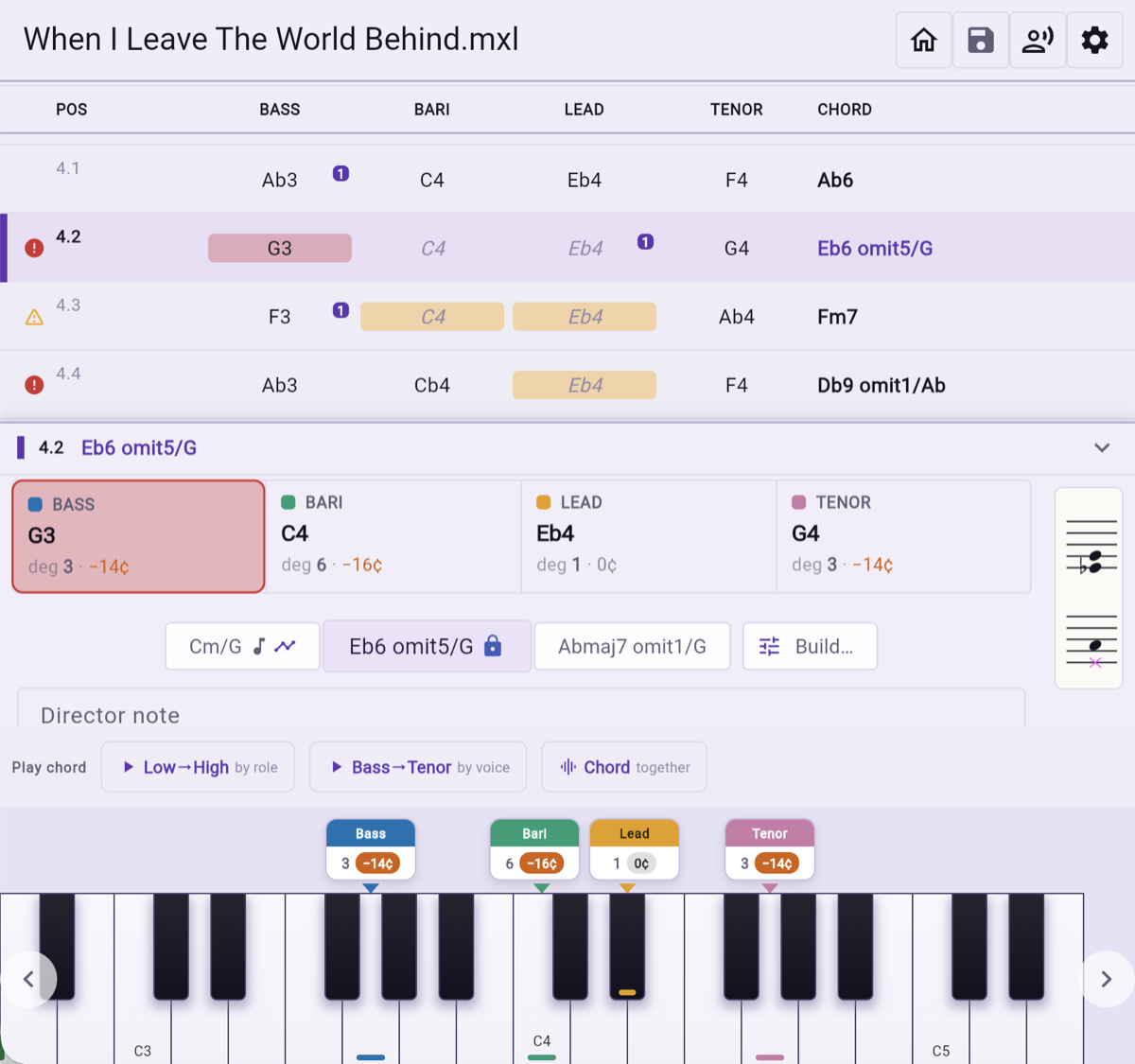
Pick a bar and the analyzer puts it in the words you would use at a rehearsal: who is carrying the root alone, who has to bend a held note as the chord changes underneath them, and by how many cents. Hear it too — low to high, bass to tenor, or all four at once. Tap a piano key and you get equal temperament, the tuning the keyboard is stuck with; tap the voice card above it and you get the note where the chord actually wants it. Tap one, then the other, and a figure like +16 cents stops being abstract.
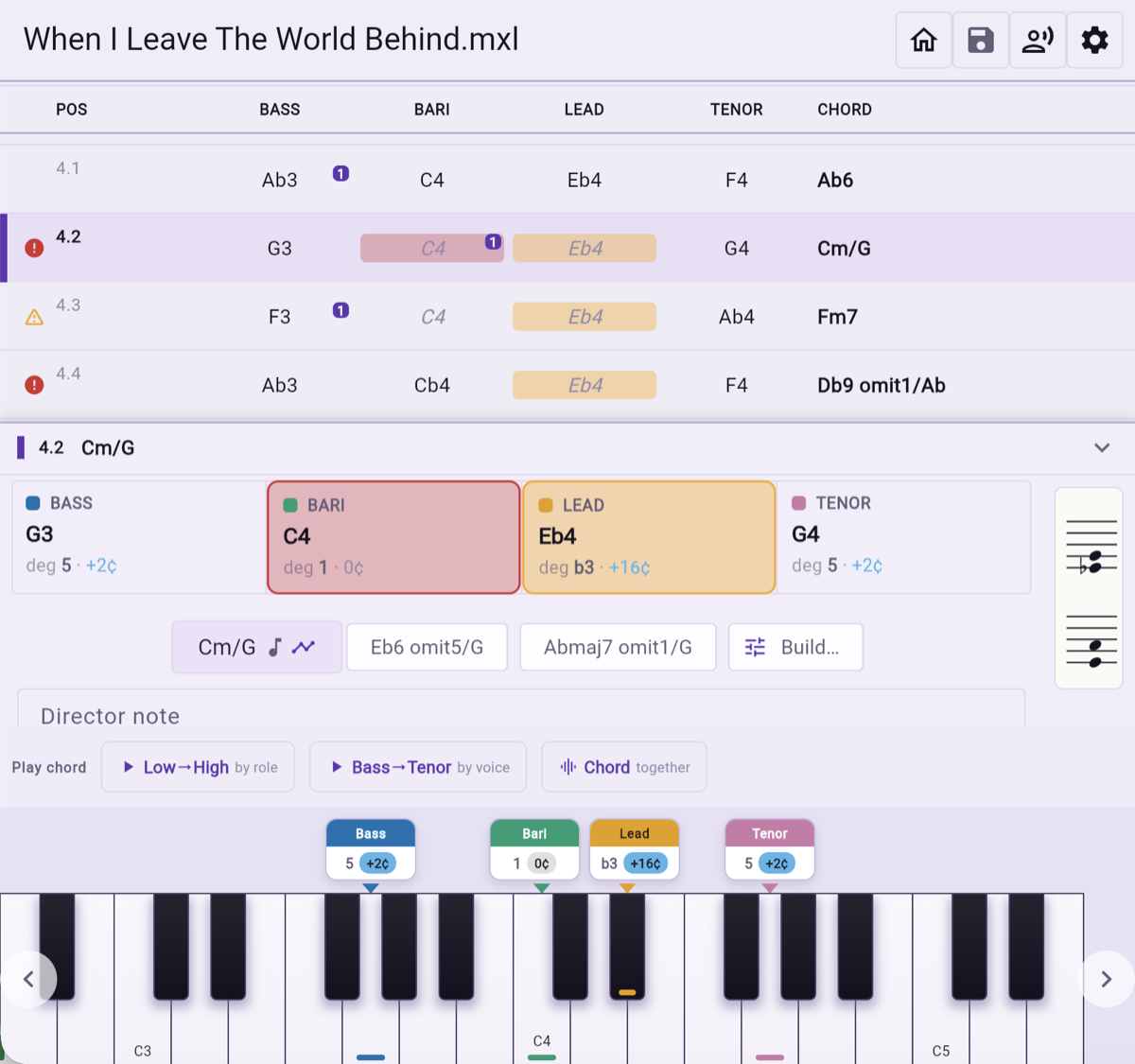
When a chord can be read more than one way
Four notes rarely have just one name. The analyzer offers the readings that fit and shows what each one does to the tuning of every part — the same notes can ask the bass for a different adjustment depending on what you call the chord.
Decide, and the rest follows
Lock the reading you intend to teach and every degree and cent adjustment updates to match it. Add your own note for the bar while you are there, in your own words, and it stays with the chord.
Take it back to the score
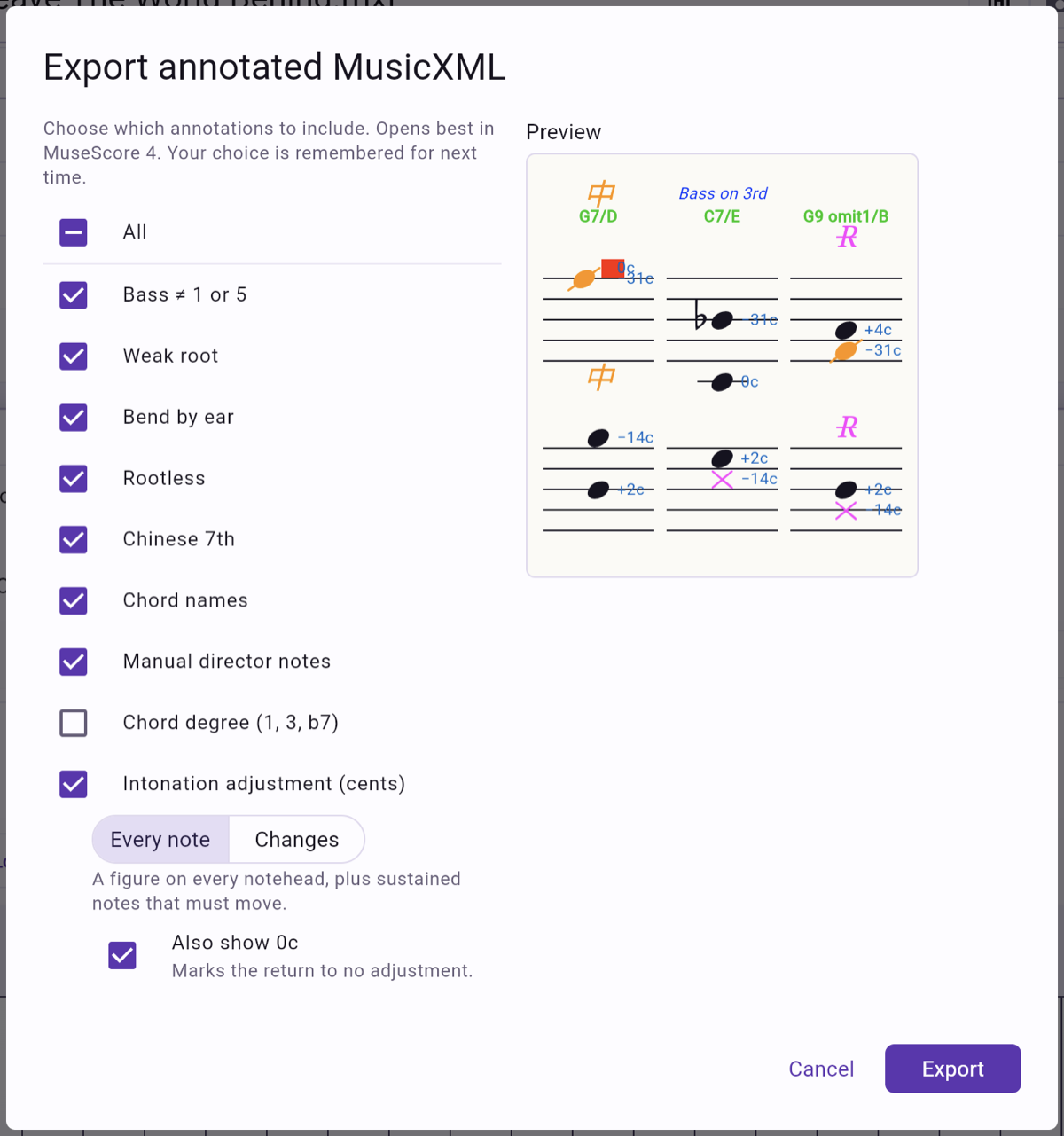
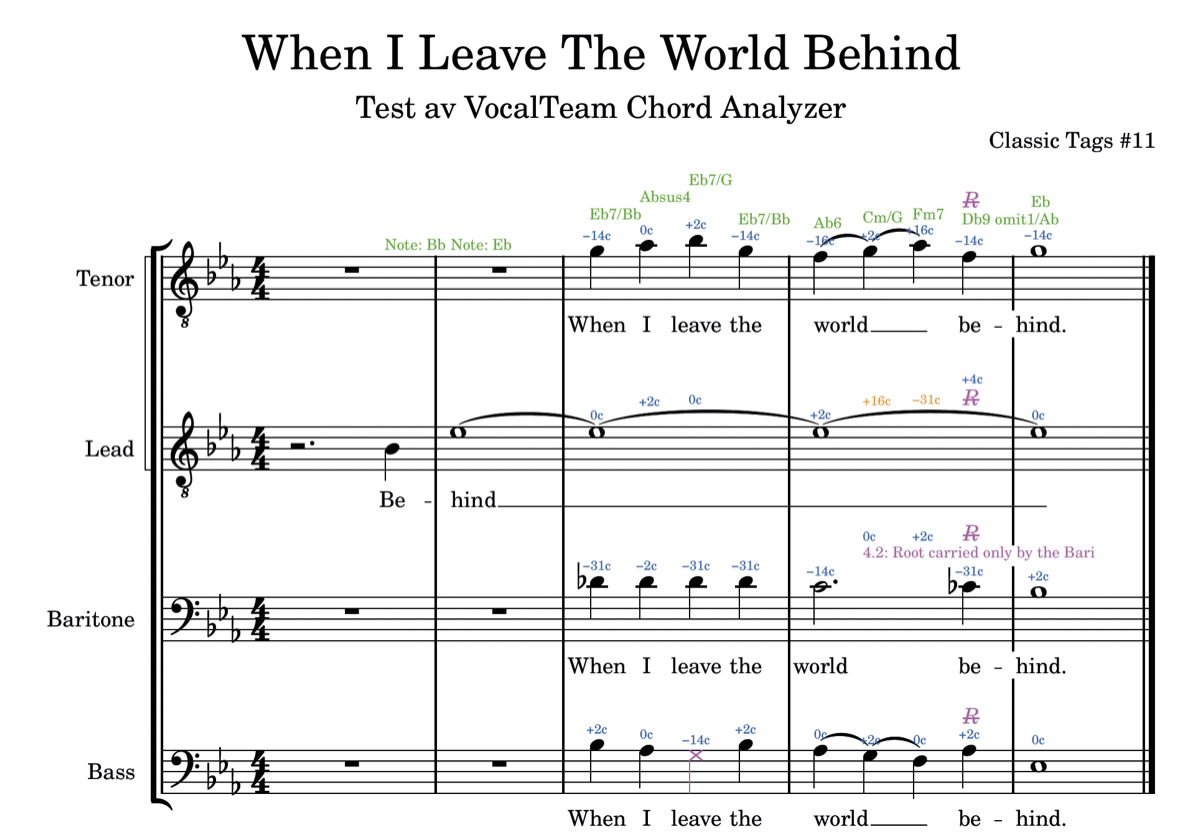
Export an annotated MusicXML with as much or as little as you want on it: chord names, cent adjustments, the warnings, your own director notes. It opens in any notation program that reads MusicXML, and the choice is remembered for next time.