Free tool — no account needed

See the chord behind every bar

The VocalTeam Chord Analyzer reads your barbershop arrangement and tells you, bar by bar, what the four parts are actually singing — where the chord will ring, where it will fight, and what to say to each section. It runs in your browser, and it is free.

1

Open your arrangement

Open a MusicXML or MIDI file and you are working — nothing to install, nothing to sign up for. MusicXML from any notation program gives the best result, and MIDI works when each part has a track of its own.
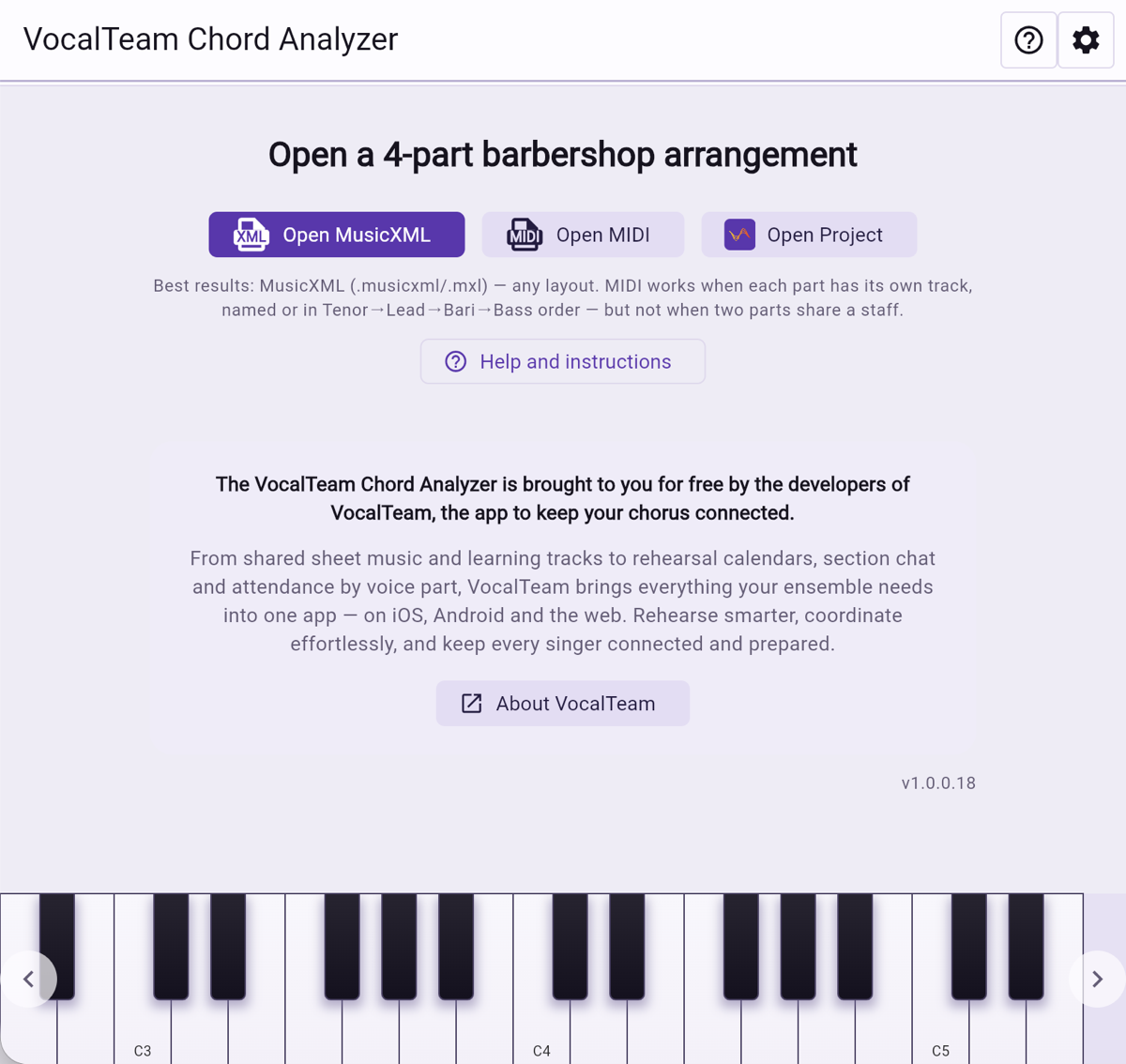
The Chord Analyzer start screen, offering to open a MusicXML file, a MIDI file or a saved project.
2

Confirm the four parts

The lines are matched to Tenor, Lead, Bari and Bass by their order in the file, and each one shows its range and note count so you can check it at a glance. A chord-reference staff or a scratch voice can be left out of the analysis entirely.
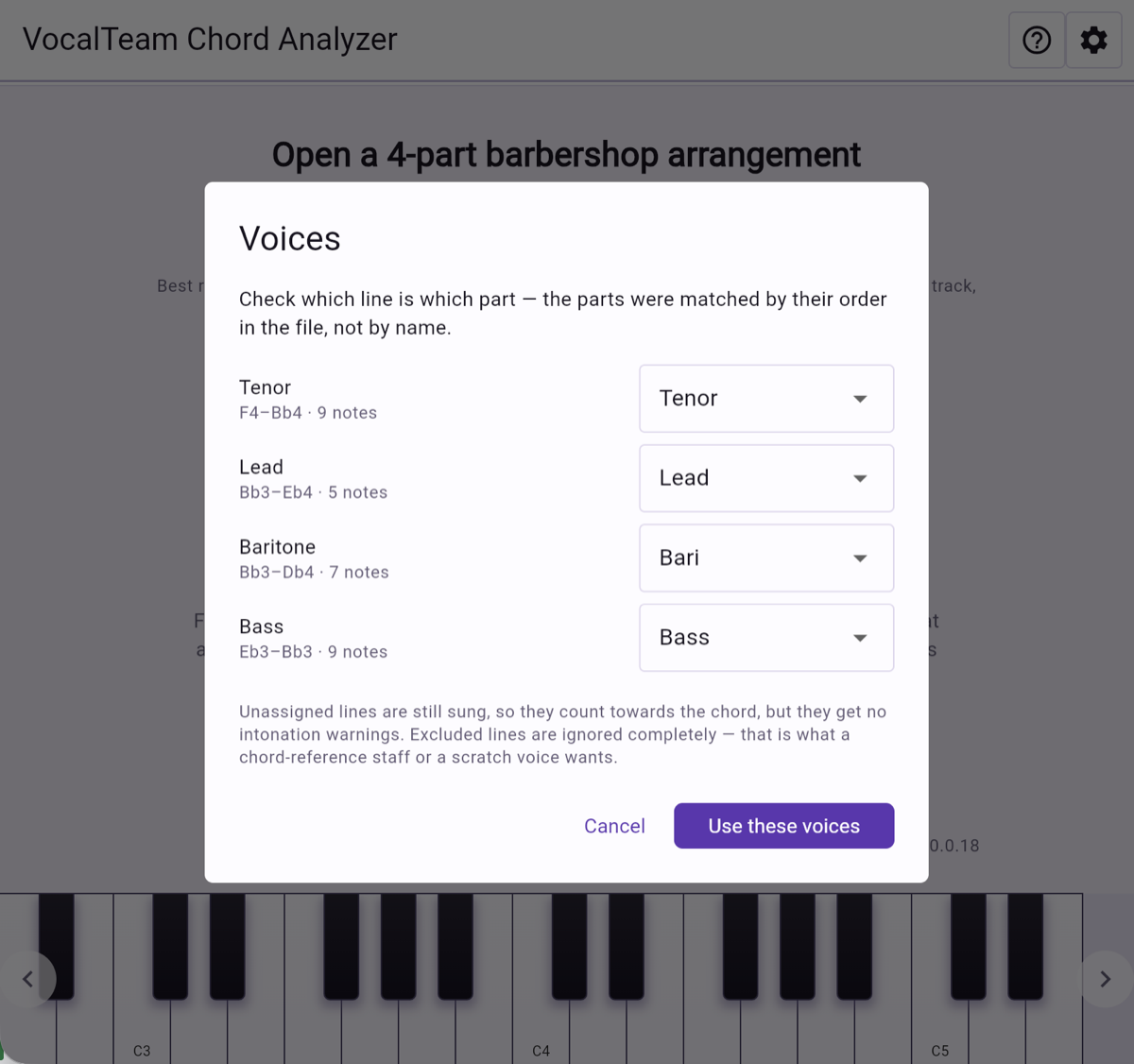
The Voices dialog, matching each line in the file to Tenor, Lead, Bari or Bass.
3

The whole song, chord by chord

Every chord change in one list: the four notes, the chord name and the key. Red and amber markers pick out the bars that will give you trouble, so you know where the rehearsal time needs to go before anyone steps onto the risers.
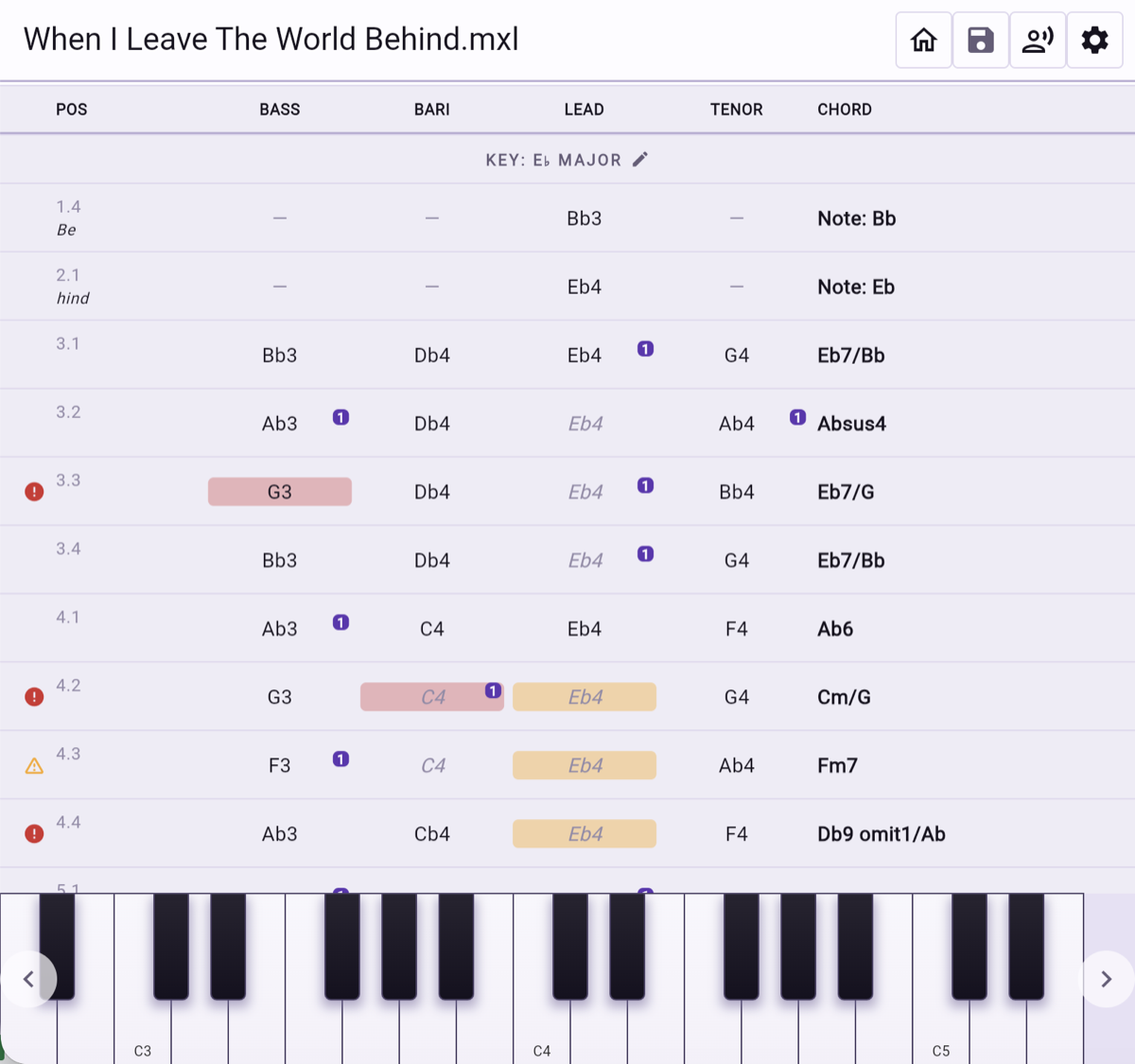
The chord list: one row per chord change, with the note sung by each part and the resulting chord name.
4

What to tell the chorus

Pick a bar and the analyzer puts it in the words you would use at a rehearsal: who is carrying the root alone, who has to bend a held note as the chord changes underneath them, and by how many cents. Hear it too — low to high, bass to tenor, or all four at once. Tap a piano key and you get equal temperament, the tuning the keyboard is stuck with; tap the voice card above it and you get the note where the chord actually wants it. Tap one, then the other, and a figure like +16 cents stops being abstract.
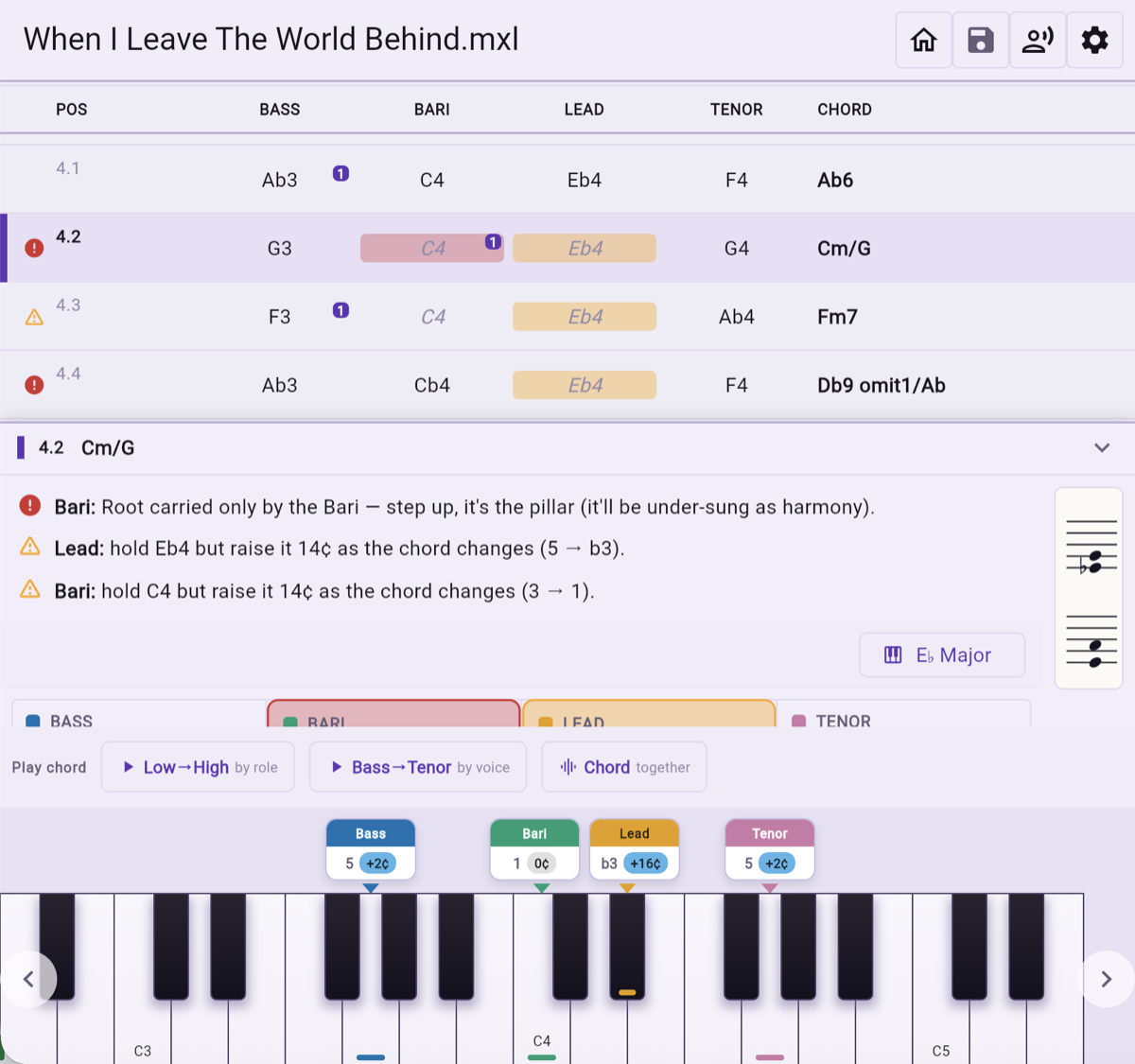
Guidance for one chord, in plain language: which part carries the root and which held notes must move.
5

When a chord can be read more than one way

Four notes rarely have just one name. The analyzer offers the readings that fit and shows what each one does to the tuning of every part — the same notes can ask the bass for a different adjustment depending on what you call the chord.
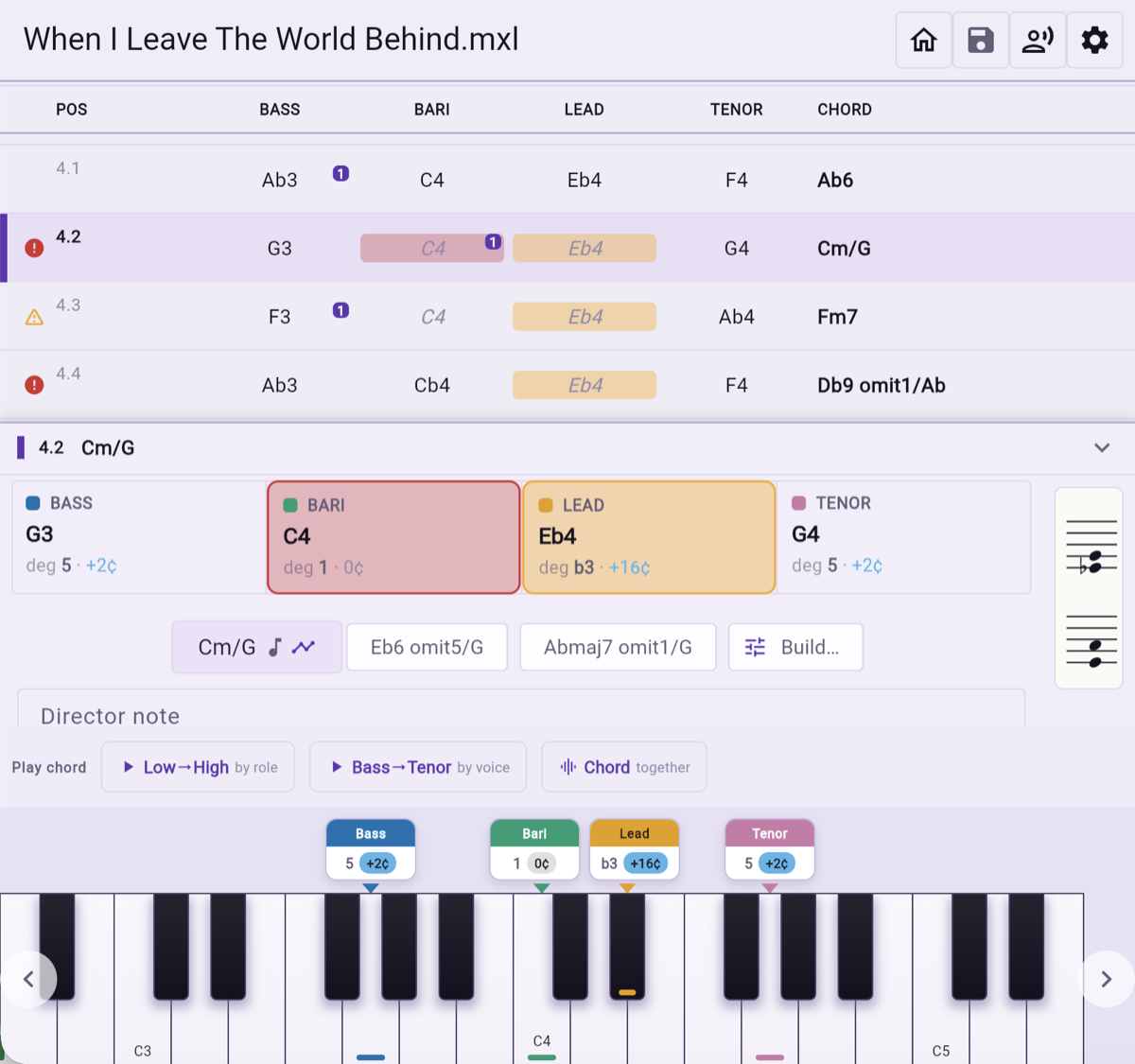
One chord shown with the degree and cent adjustment of each part, and alternative readings of the same four notes.
6

Decide, and the rest follows

Lock the reading you intend to teach and every degree and cent adjustment updates to match it. Add your own note for the bar while you are there, in your own words, and it stays with the chord.
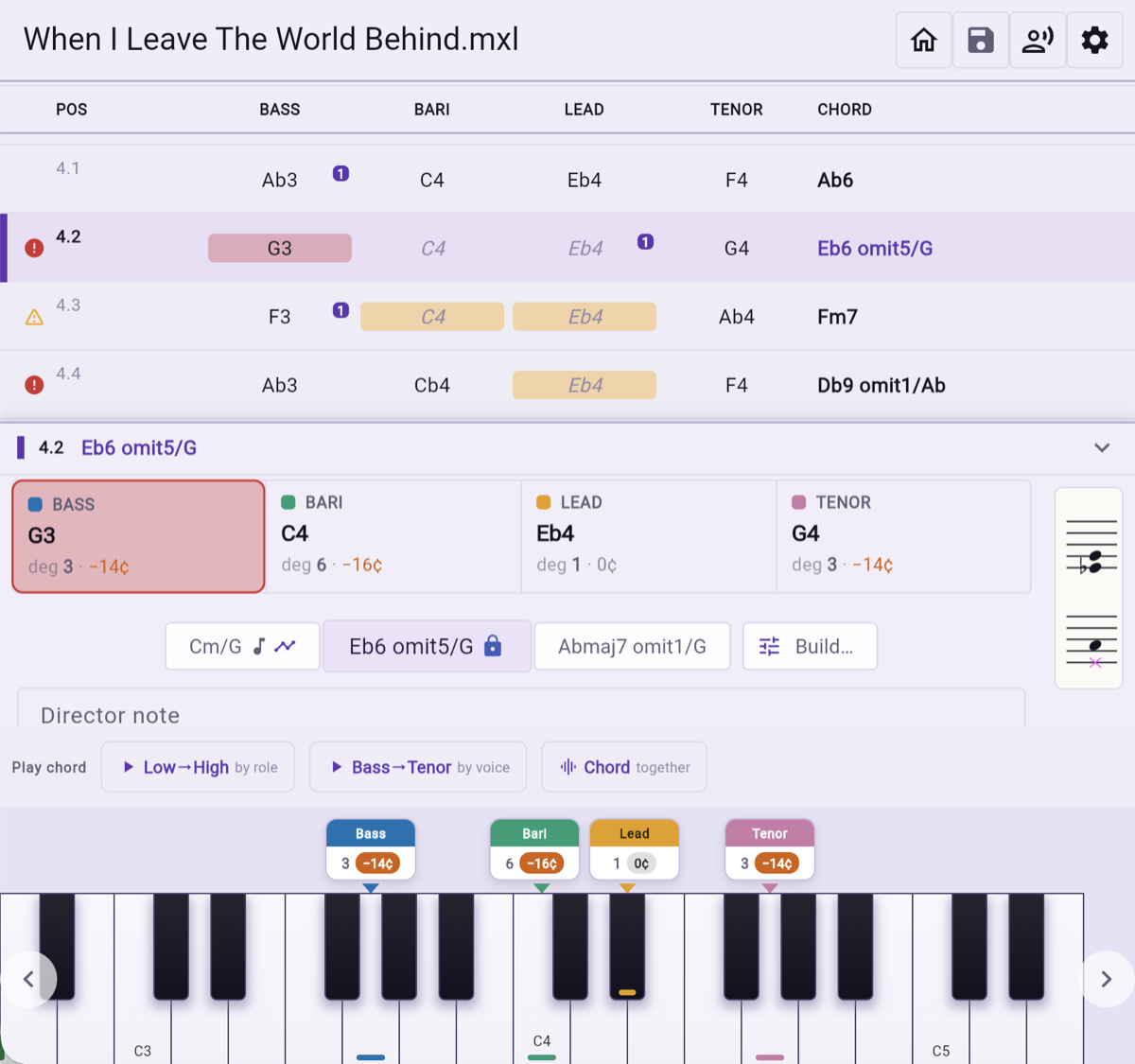
An alternative reading locked in, with the degrees and cent adjustments of all four parts updated to match.
7

Take it back to the score

Export an annotated MusicXML with as much or as little as you want on it: chord names, cent adjustments, the warnings, your own director notes. It opens in any notation program that reads MusicXML, and the choice is remembered for next time.
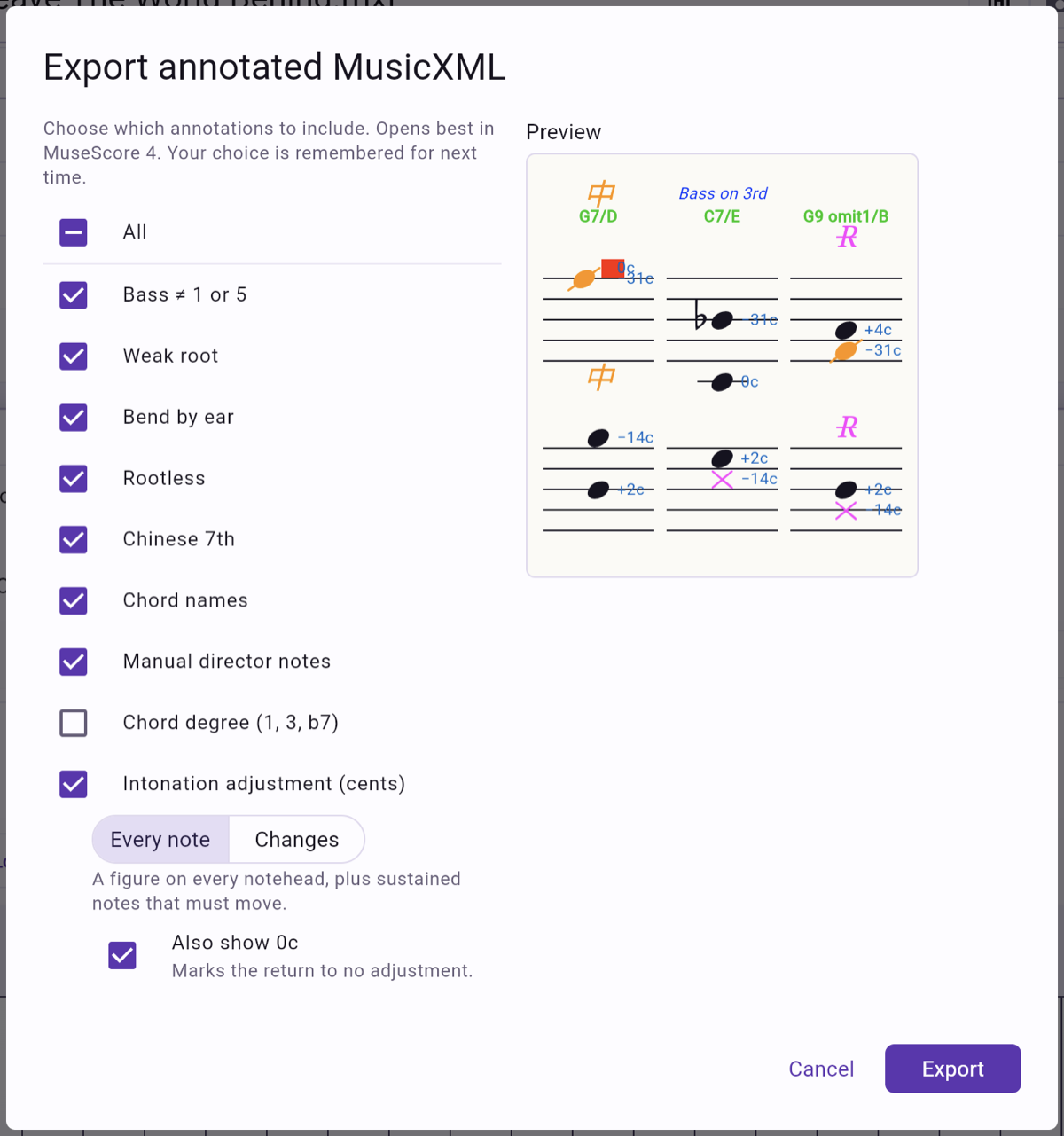
The export dialog, with a checklist of annotations to include and a live preview of the result.

Your score, annotated

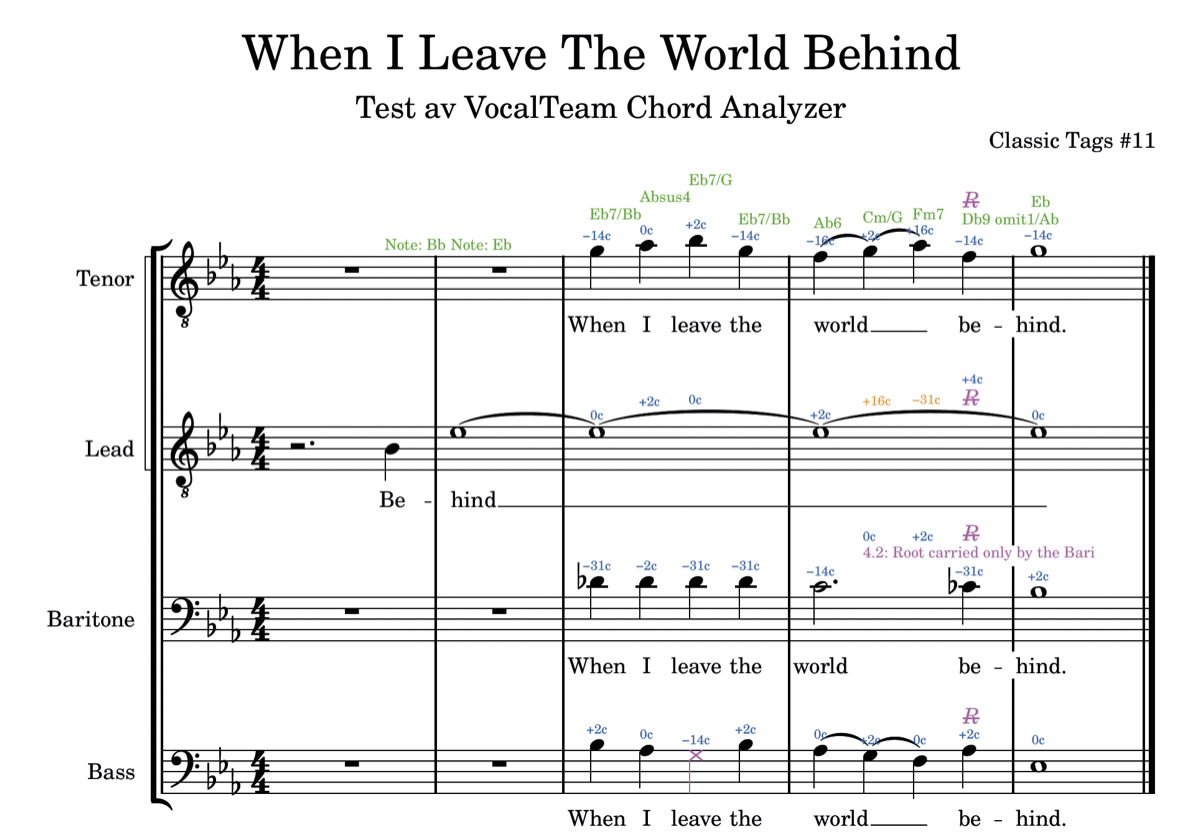
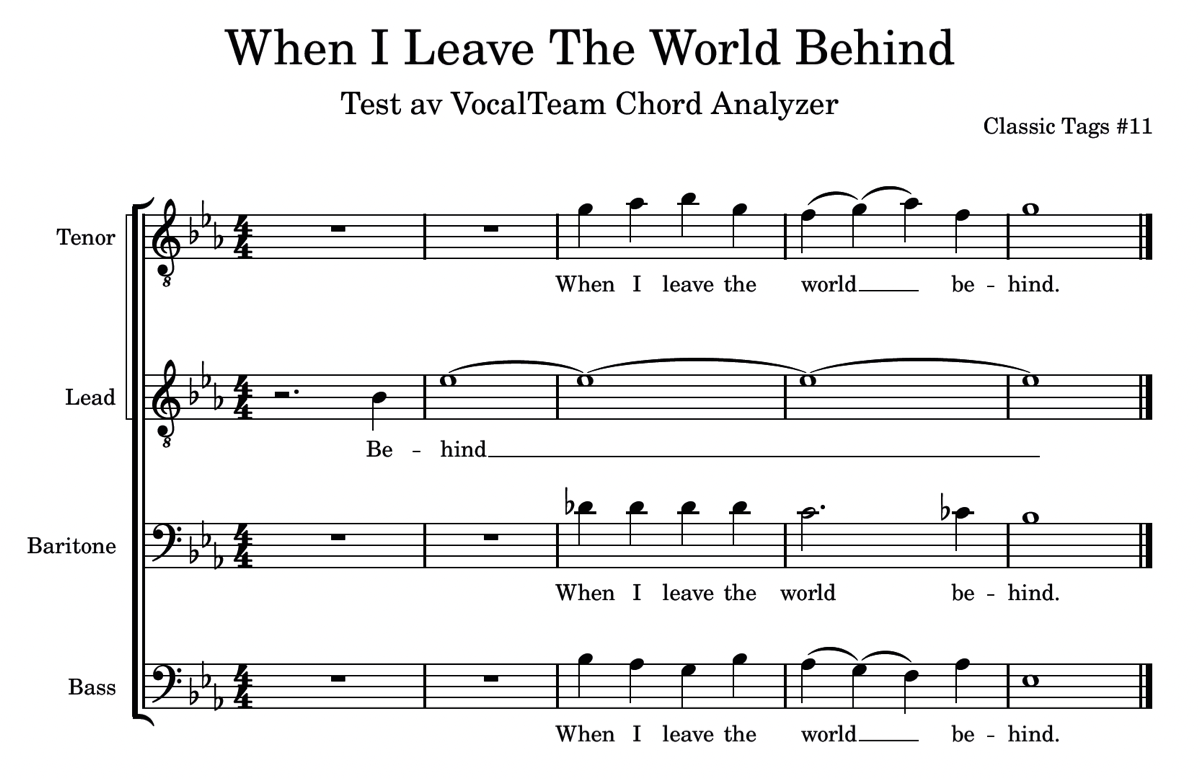
The same tag before and after. Every note carries the adjustment it needs, every chord its name, and the remarks you would otherwise shout across the room sit where they belong — in the music, in front of the singer.

A barbershop tag as it was written: four staves, notes and lyrics, no annotations.
Before — the arrangement as you brought it in
The same tag after export, with chord names, cent adjustments, warning marks and a director note added.
After — chord names, cents, warnings and your notes
Free tool — no account needed

Try it on your next chart

Open the chart you are rehearsing this week and see what the chords are really doing, before the next run-through rather than after it.

Open Chord Analyzer

The VocalTeam Chord Analyzer is brought to you for free by the developers of VocalTeam,
the app to keep your chorus connected.

From shared sheet music and learning tracks to rehearsal calendars, section chat and attendance by voice part, VocalTeam brings everything your ensemble needs into one app — on iOS, Android and the web. Rehearse smarter, coordinate effortlessly, and keep every singer connected and prepared.